Image

Polaroid ‘Pop’ to offer Stunning Iconic Instagram Like Snap n Print Pictures

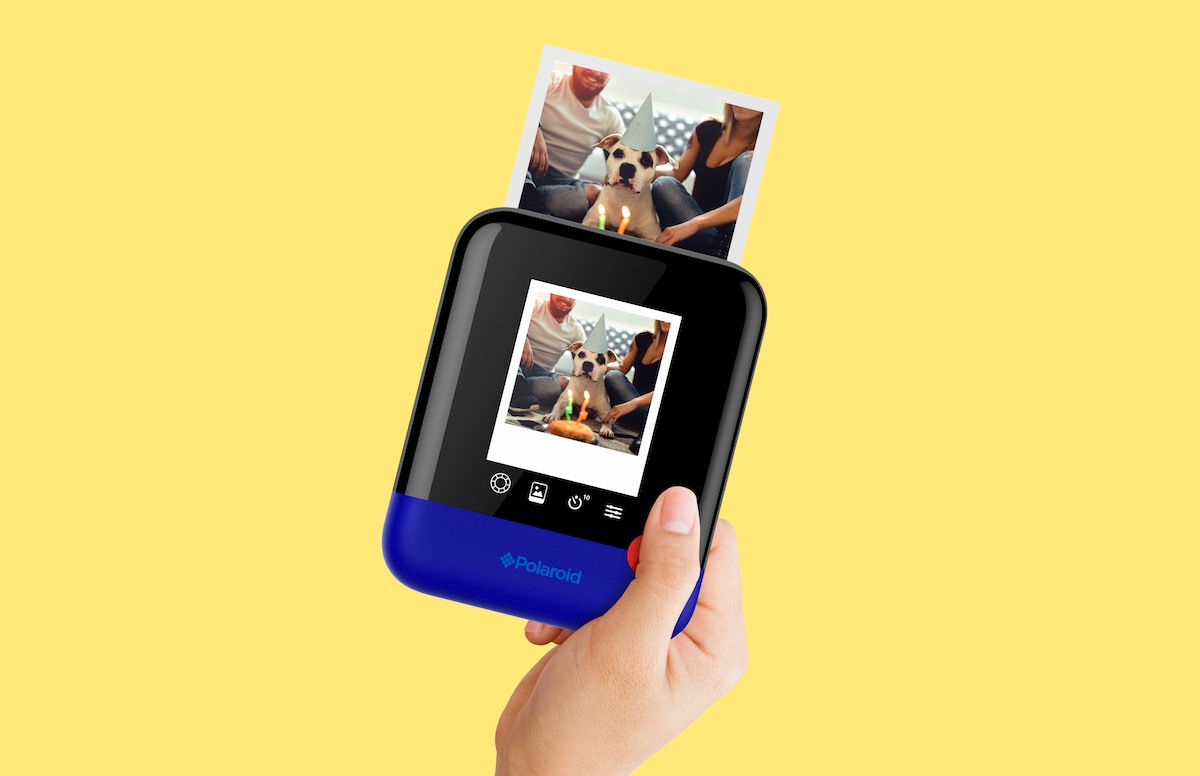
Polaroid will not fade … its popularity, that is. Celebrating its 80th anniversary, Polaroid, the company that built the popular instant camera that spits out photos for eager consumers to watch come into view, has just unveiled its latest product — the Polaroid Pop.

Revealed this week at the Consumer Electronics Show (CES) in Las Vegas, the updated camera still delivers the classic 3- by-4-inch instant prints, but now users can easily upload their pics to Instagram and other social media sites. Plus, the camera has a timer for selfies and three color modes: black and white, color and vintage sepia (a filter that gives images the iconic Polaroid look and feel), according to the company, which was founded in 1937.

And you’ll be able to get your creative on: The digital camera can be connected wirelessly to mobile devices, where, using the Polaroid print app (for iOS and Android), you can edit and polish images with various filters, digital stickers and effects.

Like its predecessors, the Pop has a built-in printer, this one called ZINK® for its zero ink printing technology. Everything needed to create your pics is embedded right into the photographic paper; heat then can activate and “colorize” the dye crystals of cyan, yellow and magenta that are hidden inside a polymer coating, according to Polaroid.

“Perfectly blending nostalgia with modern design and functionality, the Polaroid Pop embodies the brand’s 80-year history; staying true to the Polaroid core values of sharing, instant, fun and ease-of-use, while pushing the envelope with a fresh form factor and the latest technology,” Scott Hardy, president and CEO of Polaroid, said in a statement.

The Polaroid Pop, which has the snazzy one-button shutter control like the iconic Polaroid One Step of the 1980s, is expected to be on store shelves at the end of the year, according to Polaroid. The company said that pricing is not yet available.
Image

App Review: Fingerprint Gestures adds additional functionality to your fingerprint sensor

Almost every handset today is coming with a fingerprint sensor. Apart from securing and unlocking, some vendors have gone beyond and baked additional functionality to fingerprint sensors.

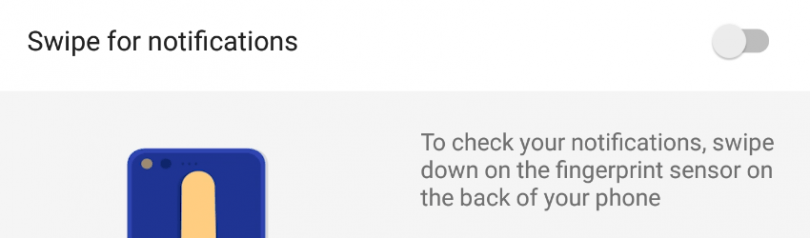
Recently Google announced the new Pixel and Pixel XL which arrived with a fingerprint swipe gesture to toggle the notification panel. Owning a Nexus 6P, I was hoping that this feature would arrive with the new Nougat update, but then I found it was limited to the Pixel handset.

The good news is, a bunch of third party apps have started appearing on the Play Store which let you add similar fingerprint gestures to your smartphone, in my case the Nexus 6P. You don’t need root access or any other complicated procedures either to make it work.

fingerprint-gestures-screenshot

One of these apps that I’ve been using for a couple of weeks is Fingerprint Gestures developed by SuperThomasLab. Once you install the app and grant all permissions, you can assign different gestures a function notification shade or turn on the flashlight.

You can assign a single tap, double tap or a fast tap (swipe) to any navigation button, toggling the notifications panel, opening quick settings, media controls, opening an app, and more.

If you have Android 7.0 installed then you can also toggle split screen mode. Having root access lets you perform additional actions like scrolling through apps and activating sleep mode.

http://giphy.com/embed/l0MYQmrhVCoiwooYo http://giphy.com/embed/3o7TKo4M8rX76zvBvO

The app requires Android 6.0 Marshmallow, and of course a fingerprint scanner. I managed to try it on my Nexus 6P and a Nexus 5X. It didn’t work on the Redmi Note 3 or any other smartphone having the fingerprint scanner embedded in the home button. It’s fairly consistent and works pretty well although it does need time to getting used to.

You can download the Fingerprint Gestures app from the Play Store over here.

Image

WhatsApp could soon get option to revoke and edit messages: Report

WhatsApp is planning to introduce two new features that will change the way you communicate with your friends. WhatsApp is reportedly working on a feature that would allow users to retract or edit their messages.

WhatsApp is the most powerful communication tool available on our smartphones with over 1 billion active users. According to WABetaInfo, WhatsApp is working on a new feature that will allow users to revoke messages similarly to Gmail’s ‘Undo Send’ option. The update is being tested for iOS with an option to revoke a message before it’s delivered to the recipient. The feature could be useful if you end up sending message to a wrong person.

The photos tweeted by WABetaInfo suggests the revoke option will only be accessible by tapping on the message. The message will be deleted the moment you revoke it. Like Gmail, users will have only few seconds to undo their message and WABetaInfo notes that users can delete messages that have been read by the recipient. Apparently, revoking messages feature can also delete photos and videos in the phone of the recipient. This feature is definitely different from existing delete option where contents are only deleted from sender’s phone and not recipients.

It also notes that WhatsApp will also add an option to edit sent messages. This should really be helpful considering we all type messages on our virtual keypad where the chances of typos are really high. WhatsApp has been adding significant set of features to its messaging platform. The service recently added support for video calling and there were reports indicating that WhatsApp will soon add support for Status tab feature.

WhatsApp could release these features with version 2.17.1.869 for iOS and it is likely that iOS will get the feature first followed by Android and Windows Phone.

Image

Bluetooth 5 will bring higher speeds, better range and a focus on IoT

Bluetooth is global wireless standard for simple and secure connectivity for exchanging data over short distances and is managed by Bluetooth special interest group.
Earlier it has two versions 3 and 4 with max speed of 25Mbits/s  and range 60m

The Bluetooth Special Interest Group (SIG) gave the green light to Bluetooth 5 which includes longer range,faster speed and larger broadcast message capacity.                                                                   The latest ubiquitous wireless technology offers twice the speed i.e. 50Mbits/s, Quadruple the range i.e. 240m and 8 times broad cast capacity compared to earlier.

It boosts the location services and also betters the battery life a bit

New standards is going to support Internet Of Things ( IOT)

Data transfer will be richer and of more intelligent and This gonna redefine the way bluetooth devices transmit information.

And finally the first Bluetooth 5 devices expected to be out within the next two to six months, according to the organization.

Image

VLC gets the honour of making the world’s first 360-degree video player app

VLC media player by VideoLAN is one of the most used software for playing all formats of videos in both computers and mobile devices. Now, the company has taken a new step forward and making a new update – VLC 3.0 by the end of December which will be supporting 360-degree videos. A BETA preview version is already released.

“With the help of Giroptic, VLC becomes the first major video player app to play 360-degree videos out-of-the-box. VLC 3.0 final release will merge those features on all platforms,” stated on its website

Some of the features of the all-new VLC version include playback of 360 videos following the Spatial Video spec; playback of 360 photos and panoramas following the Spherical spec; display modes with zoom, little planet and reverse little planet, and can be controlled with system’s mouse and keyboard.

VideoLAN as it is a  free open source program run by non-profit organization, new media player version will be available to cross-platform while will be accelerated with OpenGL and Direct3D11 for 360-degree features.

Image

Jio Happy new year offer

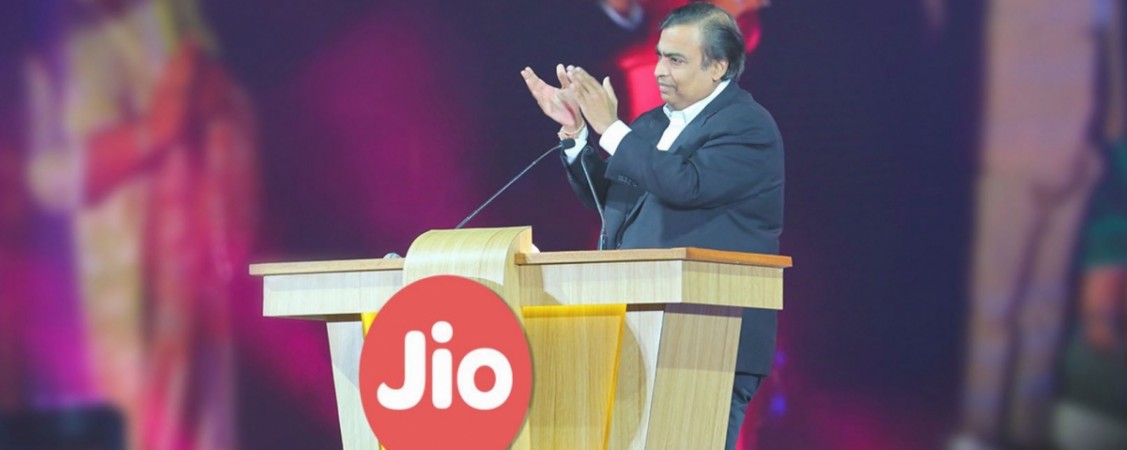
The game changer of India Jio4G is back again with a smashing idea for beating its rivals even harder.Reliance Industries Limited Chairman and Managing Director Mukesh Ambani addressed the employees and stakeholders of the company which was broadcasted live. Ambani announced officially that all the new Jio customers starting from 4th December of 2016  will get  Jio sim services like HD voice calls, Jio Music, Jio  TV, Jio Movies, Jio Security  and all the Jio applications and content absolutely free till  March 31st  2017 as the Reliance Jio Happy New Year Offer.

All the existing Jio users will  continue to enjoy Jio welcome offer till  31 December 2016 and on the 1st January 2017, all Jio welcome offers will also be signed up automatically to the Jio Happy New Year Offer .


Image

ANDROID

Android is free open source mobile operating system developed by Google.Inc based on the  Linux kernel based operating system. Android is the highly used operating system for the touch screen mobile devices such as Smartphones, phablets and tablets .The one thing that makes the android different from others is its touch gestures and actions  which are very close to the real world scenarios like pinch to zoom, tap to select, swipe to scroll and many more.

Android source code is released by Google.Inc with open source licenses. Many of the leading mobile industries combines the Original source code with their modifications and release their  specific android versions with respect to the released source code version.