Apart from the basic big action games with full HD graphics, there lies an other childish side of everyone who will be in love with the type of games they played as kids.If you’re one of them then this game is for you !!!
Specially designed in a 8bit mode to bring back the old starting of era games along with a small and quick concept
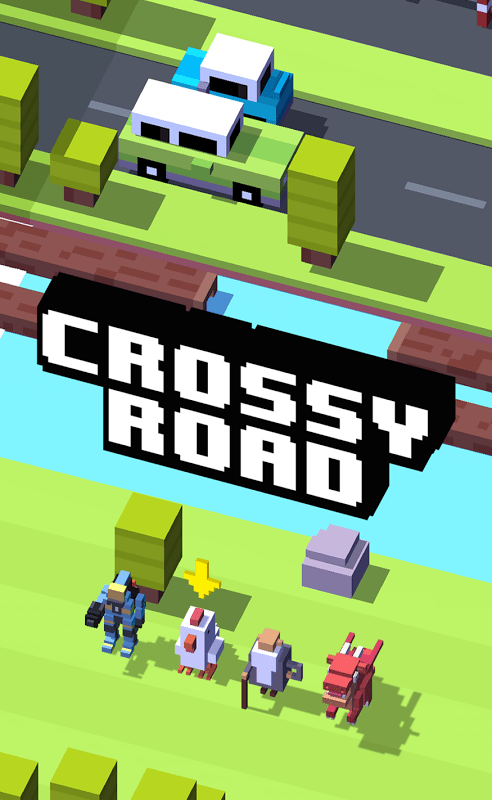
Falling somewhere between Frogger and infinity runners Temple Runand Subway Surfers, Crossy Roadis a cute game that’s great for quick-fix sessions. So great, in fact, that it won a Best quickplay game award at the International Mobile Gaming Awards.
The longer you survive, the more gold you earn, which allows you to unlock new characters to traverse the endless 3D pixel-blocky world. It’s old-school and new-school, charming and challenging, and we love it.
Crossy Road is a Frogger-like game that’ll keep you engaged.
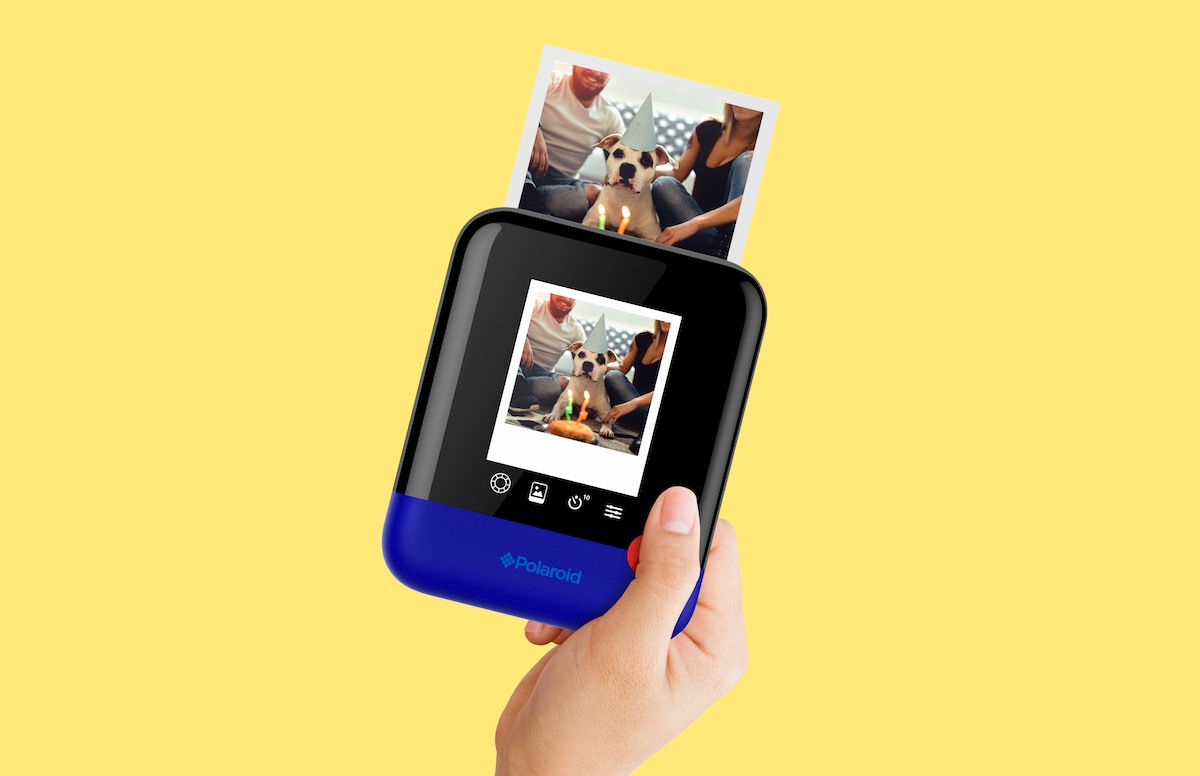
Polaroid will not fade … its popularity, that is. Celebrating its 80th anniversary, Polaroid, the company that built the popular instant camera that spits out photos for eager consumers to watch come into view, has just unveiled its latest product — the Polaroid Pop.
Revealed this week at the Consumer Electronics Show (CES) in Las Vegas, the updated camera still delivers the classic 3- by-4-inch instant prints, but now users can easily upload their pics to Instagram and other social media sites. Plus, the camera has a timer for selfies and three color modes: black and white, color and vintage sepia (a filter that gives images the iconic Polaroid look and feel), according to the company, which was founded in 1937.
And you’ll be able to get your creative on: The digital camera can be connected wirelessly to mobile devices, where, using the Polaroid print app (for iOS and Android), you can edit and polish images with various filters, digital stickers and effects.
Like its predecessors, the Pop has a built-in printer, this one called ZINK® for its zero ink printing technology. Everything needed to create your pics is embedded right into the photographic paper; heat then can activate and “colorize” the dye crystals of cyan, yellow and magenta that are hidden inside a polymer coating, according to Polaroid.
“Perfectly blending nostalgia with modern design and functionality, the Polaroid Pop embodies the brand’s 80-year history; staying true to the Polaroid core values of sharing, instant, fun and ease-of-use, while pushing the envelope with a fresh form factor and the latest technology,” Scott Hardy, president and CEO of Polaroid, said in a statement.
The Polaroid Pop, which has the snazzy one-button shutter control like the iconic Polaroid One Step of the 1980s, is expected to be on store shelves at the end of the year, according to Polaroid. The company said that pricing is not yet available.
Google today officially announced that it’s rebranding its Google Keyboard application for Android users to “Gboard,” the name sported by its newer keyboard app that sports a fully integrated Google Search engine, emoji and GIF search, and more. The keyboard’s Android launch had been spotted earlier this week by a number of media sites and blogs, who had also noted app arrived with a few new features, as well.
Gboard was first launched on iOS around six months ago, as a means of giving Google a better way to integrate its search engine on users’ devices. Instead of putting it into a separate app, Google bundled search into the screen people use the most – their keyboard.
On Android, Gboard includes the same feature set as found in its iOS predecessor, as most of its changes were more about adding polish and addressing a few user concerns, rather than overhauling the core experience.
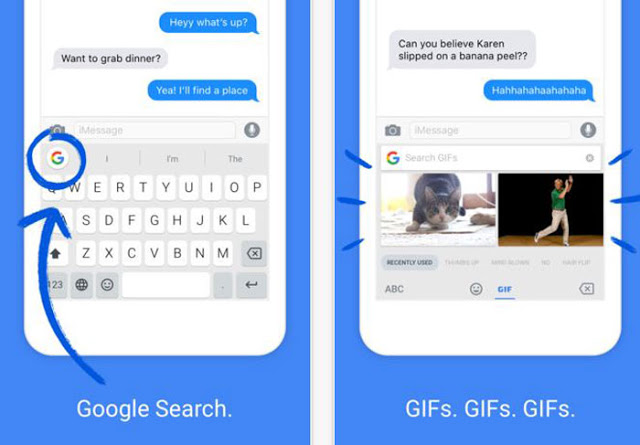
In the new app, you can now tap a Google logo to start your search – a tweak that makes access to Google search a bit more obvious.
The benefit of having search built in like this is that search results can be easily shared from your keyboard. This comes in handy when you want to share a business’s address, weather, flight times, news articles, restaurant info and more with your friend, without having to launch a separate app to dig up that information. Gboard will also predict possible searches, based on your chat which you may find either very useful or super creepy.
For example, the company explains, if you’re chatting with a friend about the weather, the app may offer a prediction for “Weather” which you could then share with a tap.
The app includes built in GIF and emoji search, too, like the iOS version does. A clever trick here is that Google makes it quicker to find the right emoji. Instead of scrolling, you can just do a search for the one you want (e.g. “monkey”).
One new feature that arrives with the Android app is an option to always show the number row on the screen – something that was one of users’ complaints about the keyboard layout. The app added support for multiple languages, as well, which will help bilingual users with their searches and the app’s predictions.
You can also choose to turn on Glide Typing, if that’s your preferred mode of text entry. And the app offers a standard lineup of keyboard features like text predictions, autocorrect, and voice typing.


 Einsteinstuff