Image

App Review: Fingerprint Gestures adds additional functionality to your fingerprint sensor

Almost every handset today is coming with a fingerprint sensor. Apart from securing and unlocking, some vendors have gone beyond and baked additional functionality to fingerprint sensors.

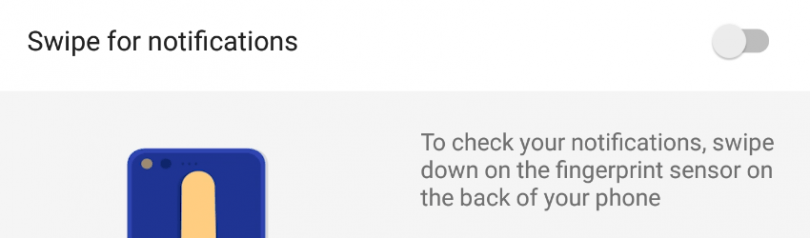
Recently Google announced the new Pixel and Pixel XL which arrived with a fingerprint swipe gesture to toggle the notification panel. Owning a Nexus 6P, I was hoping that this feature would arrive with the new Nougat update, but then I found it was limited to the Pixel handset.

The good news is, a bunch of third party apps have started appearing on the Play Store which let you add similar fingerprint gestures to your smartphone, in my case the Nexus 6P. You don’t need root access or any other complicated procedures either to make it work.

fingerprint-gestures-screenshot

One of these apps that I’ve been using for a couple of weeks is Fingerprint Gestures developed by SuperThomasLab. Once you install the app and grant all permissions, you can assign different gestures a function notification shade or turn on the flashlight.

You can assign a single tap, double tap or a fast tap (swipe) to any navigation button, toggling the notifications panel, opening quick settings, media controls, opening an app, and more.

If you have Android 7.0 installed then you can also toggle split screen mode. Having root access lets you perform additional actions like scrolling through apps and activating sleep mode.

http://giphy.com/embed/l0MYQmrhVCoiwooYo http://giphy.com/embed/3o7TKo4M8rX76zvBvO

The app requires Android 6.0 Marshmallow, and of course a fingerprint scanner. I managed to try it on my Nexus 6P and a Nexus 5X. It didn’t work on the Redmi Note 3 or any other smartphone having the fingerprint scanner embedded in the home button. It’s fairly consistent and works pretty well although it does need time to getting used to.

You can download the Fingerprint Gestures app from the Play Store over here.
Facebook Messenger introduces new native camera with art and 3D effects

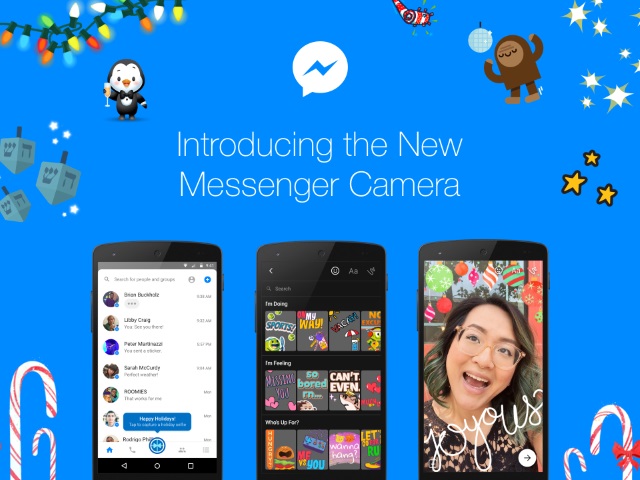
Facebook is trying hard to compete with Snapchat and its best armours have been Instagram and Messenger. In a new effort, Facebook Messenger is introducing a new powerful native camera complete with features like unique art and 3D special effects.

The biggest upgrade with the new camera is in terms of reliability and speed. The new Facebook Messenger puts camera icon right in the center of the whole messaging experience. Whether you are in a conversation or just opened the app, the camera icon is just a tap away. Tapping the icon snaps a picture while long pressing records video. The function remains the same but it is easily accessible now.

Facebook Messenger’s camera is also getting 3D masks and special effects, a feature popular among Snapchat users. The new feature makes it easier to apply an artistic filter to a full screen photo by adding a reindeer or falling snow. Facebook says “it’s the perfect way to spread a little happiness in your messages.”

Any photo filter is deemed incomplete with filters and with the new update, Facebook is adding thousands of stickers, frames, masks and effects to the mix. Facebook has colloborated with artits to bring unique customisation options.

The last and unique introduction is the blank canvas where users can add art and stickers to their text. With new camera in Messenger, Facebook is giving more options to express your feelings with more filters and sticker art

Image

WhatsApp could soon get option to revoke and edit messages: Report

WhatsApp is planning to introduce two new features that will change the way you communicate with your friends. WhatsApp is reportedly working on a feature that would allow users to retract or edit their messages.

WhatsApp is the most powerful communication tool available on our smartphones with over 1 billion active users. According to WABetaInfo, WhatsApp is working on a new feature that will allow users to revoke messages similarly to Gmail’s ‘Undo Send’ option. The update is being tested for iOS with an option to revoke a message before it’s delivered to the recipient. The feature could be useful if you end up sending message to a wrong person.

The photos tweeted by WABetaInfo suggests the revoke option will only be accessible by tapping on the message. The message will be deleted the moment you revoke it. Like Gmail, users will have only few seconds to undo their message and WABetaInfo notes that users can delete messages that have been read by the recipient. Apparently, revoking messages feature can also delete photos and videos in the phone of the recipient. This feature is definitely different from existing delete option where contents are only deleted from sender’s phone and not recipients.

It also notes that WhatsApp will also add an option to edit sent messages. This should really be helpful considering we all type messages on our virtual keypad where the chances of typos are really high. WhatsApp has been adding significant set of features to its messaging platform. The service recently added support for video calling and there were reports indicating that WhatsApp will soon add support for Status tab feature.

WhatsApp could release these features with version 2.17.1.869 for iOS and it is likely that iOS will get the feature first followed by Android and Windows Phone.

Forget Selfie Sticks: AirSelfie drone Captures Photos and Videos in Midair

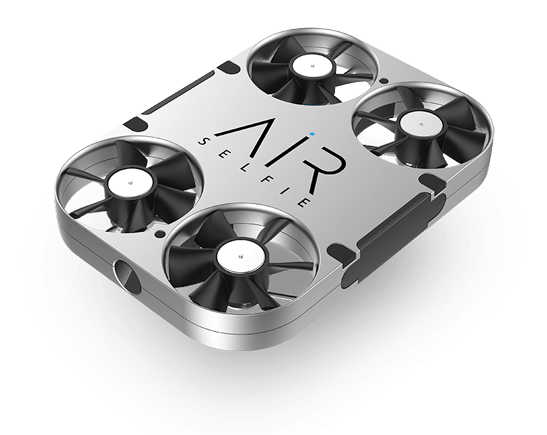
Instead of extending your arm or using a selfie stick to snap shots of you and your crew, you could use a new pocket-size drone — dubbed the “AirSelfie” — to help you remotely capture aerial photos and videos.
 The AirSelfie is the brainchild of Italian entrepreneur Edoardo Stroppiana, who came up with the idea in 2014. “AirSelfie is specifically designed and produced for people who used to think drone cameras are extremely complicated to use — too expensive and bulky,” Stroppiana said.

The AirSelfie is equipped with a 5-megapixel camera that can shoot full high-definition (HD) 1080p video, as well as a 4GB microSD card. Using the AirSelfie, people, groups and companies can take pictures of themselves, their backgrounds and their projects from distances, heights and angles that they never could using their arms or a stick, Stroppiana said.

The drone’s four rotors help it fly up to 65 feet (20 meters) in the air. The flying camera measures only about 3.72 by 2.65 by 0.42 inches (9.45 by 6.73 by 1.07 centimeters) — “smaller than a smartphone,” Stroppiana said — and weighs 1.83 ounces (52 grams).

The drone uses sonar to measure its altitude and keeps itself stable with the help of a tiny extra camera to monitor its surroundings for signs of jitter. It is also equipped with gyroscopes, barometers and geomagnetic sensors that help it navigate as it flies, said AirSelfie Holdings Ltd. in London, the company that Stroppiana co-founded in 2016 to manufacture the drone.

The AirSelfie is controlled via a free iOS or Android app. The app can make the drone take off; adjust its height and direction; let it hover autonomously; and help users take an HD aerial shot or video with just a push of a button. Users can also activate a 10-second timer, giving people enough time to hide their phones so they don’t appear in the picture or video. The drone can take up to eight consecutive shots, the company said.

The AirSelfie uses Wi-Fi to send photos and videos wirelessly to smartphones. The app also allows users to post photos and videos taken with the drone immediately on social media.


Forget Selfie Sticks: This Drone Captures Photos and Videos in Midair

The AirSelfie drone can capture photos and videos in midair.
Credit: AirSelfie


After snapping photos, the drone can return to its departure point automatically with the touch of a button. Users can also guide the AirSelfie back manually, and its manufacturers said it is safe for the drone to land on a person’s open hand, or even for people to grab the drone while it is still hovering in midair.

A rechargeable lithium polymer battery gives the AirSelfie a flight time of 3 minutes, according to the company. An accessory known as the Power Bank slips over the AirSelfie like a smartphone case, and can recharge the drone in 30 minutes. The Power Bank can hold 20 such charges before it needs to be recharged, the company said. Users can also recharge the AirSelfie directly with a micro-USB cable.

The company said it developed a fully functioning prototype in August. On Nov. 17, the company launched a Kick starter campaign to make the AirSelfie available via preorder, and it met its $47,714 goal in less than three days. The campaign, which is scheduled to end Dec. 24, has raised more than $500,000 from more than 2,300 backers. In addition, the company has received $3 million from private angel investors in the United States, the United Kingdom, Germany and China, Stroppiana said.

The first preordered drones are scheduled for delivery in March. The drone is expected to hit the market in 2017 for a retail price of $300.

Image

Bluetooth 5 will bring higher speeds, better range and a focus on IoT

Bluetooth is global wireless standard for simple and secure connectivity for exchanging data over short distances and is managed by Bluetooth special interest group.
Earlier it has two versions 3 and 4 with max speed of 25Mbits/s  and range 60m

The Bluetooth Special Interest Group (SIG) gave the green light to Bluetooth 5 which includes longer range,faster speed and larger broadcast message capacity.                                                                   The latest ubiquitous wireless technology offers twice the speed i.e. 50Mbits/s, Quadruple the range i.e. 240m and 8 times broad cast capacity compared to earlier.

It boosts the location services and also betters the battery life a bit

New standards is going to support Internet Of Things ( IOT)

Data transfer will be richer and of more intelligent and This gonna redefine the way bluetooth devices transmit information.

And finally the first Bluetooth 5 devices expected to be out within the next two to six months, according to the organization.

Image

VLC gets the honour of making the world’s first 360-degree video player app

VLC media player by VideoLAN is one of the most used software for playing all formats of videos in both computers and mobile devices. Now, the company has taken a new step forward and making a new update – VLC 3.0 by the end of December which will be supporting 360-degree videos. A BETA preview version is already released.

“With the help of Giroptic, VLC becomes the first major video player app to play 360-degree videos out-of-the-box. VLC 3.0 final release will merge those features on all platforms,” stated on its website

Some of the features of the all-new VLC version include playback of 360 videos following the Spatial Video spec; playback of 360 photos and panoramas following the Spherical spec; display modes with zoom, little planet and reverse little planet, and can be controlled with system’s mouse and keyboard.

VideoLAN as it is a  free open source program run by non-profit organization, new media player version will be available to cross-platform while will be accelerated with OpenGL and Direct3D11 for 360-degree features.

Image

Jio Happy new year offer

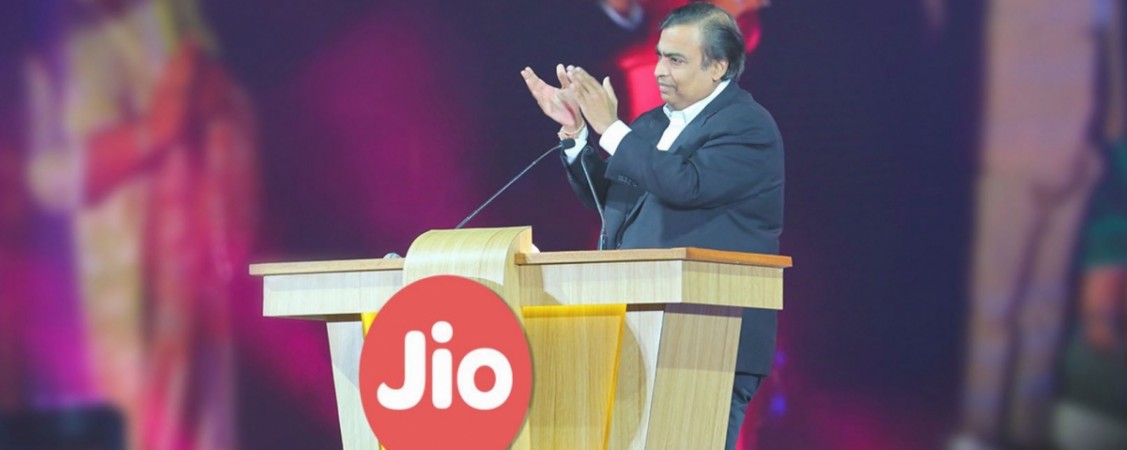
The game changer of India Jio4G is back again with a smashing idea for beating its rivals even harder.Reliance Industries Limited Chairman and Managing Director Mukesh Ambani addressed the employees and stakeholders of the company which was broadcasted live. Ambani announced officially that all the new Jio customers starting from 4th December of 2016  will get  Jio sim services like HD voice calls, Jio Music, Jio  TV, Jio Movies, Jio Security  and all the Jio applications and content absolutely free till  March 31st  2017 as the Reliance Jio Happy New Year Offer.

All the existing Jio users will  continue to enjoy Jio welcome offer till  31 December 2016 and on the 1st January 2017, all Jio welcome offers will also be signed up automatically to the Jio Happy New Year Offer .


Design a site like this with WordPress.com
Get started